


Date: Saturdays, October 19-November 16, 2024
Times: 10:00 AM-12:00 PM Pacific, 1:00-3:00 pm Eastern, 6:00-8:00 PM London Time
Level: All
Mediums: Sketch & digital art
Tools/Materials: Watercolor, pen, watercolor paper, Photoshop Elements or Photoshop
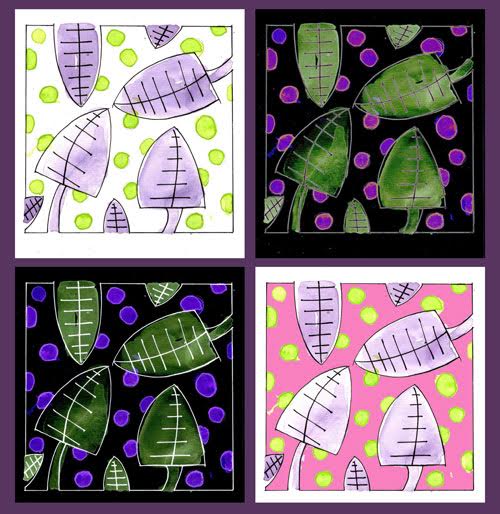
Join Amis Balcomb in a creative 5-week workshop that combines traditional sketching with the power of Photoshop Elements/Photoshop. If you want to have fun generating new ideas and imagery with your artwork, and getting digital by using technology, you are in the right place. You will discover endless possibilities in traditional art image making, and digitally image-editing to make new images. In Photoshop Elements/Photoshop, you will learn how to resize, colorize, use filters, combine and create variations, and duplicate your art images so you can have two, thirty, plus duplicates and variations on the same page, and specific ways to present your images that you can print or use on the web. It’s endless what you can do with a single image.
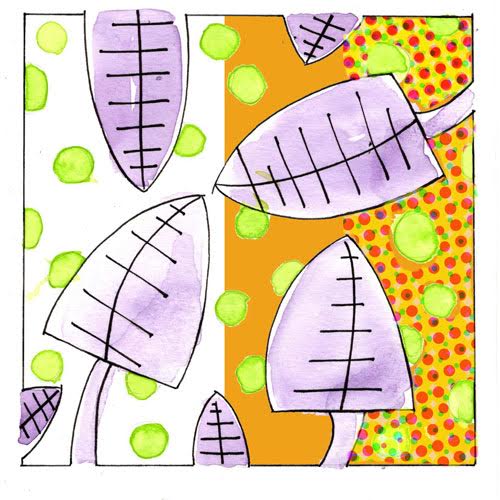
You’ll start with simple sketches on watercolor paper using a water-soluble ink pen, a graphite crayon, and watercolor. You’ll explore essential art concepts like shape, line, composition, color, and value, with these traditional tools. Amis will guide you step-by-step through the processes. You will learn to digitize your images by photographing your sketches with a smartphone or scanning with a scanner. She will guide you in setting a folder and naming system for your files and how to use the basic tools in Photoshop Elements/Photoshop. By experimenting with various tools and techniques, you’ll enhance your creative thinking and develop your skills in digital manipulation.
Photoshop Elements offers a user-friendly introduction to digital art, while Photoshop provides the full professional experience. Amis will mainly be using Photoshop Elements for her demonstrations. Whether you’re new to these programs or looking to improve, this workshop offers a fun, hands-on approach to knowing how to use them. By the end, you’ll have the confidence to create stunning digital pieces and the foundation to advance to more complex projects.
Search Winslow classes by instructor, day, month, medium or keyword.